
Hiring a web designer sounds simple—until you realize how many businesses end up with beautiful websites that fail to generate leads or sales. Whether it’s Shopify design for an eCommerce store or general web design for your business, the stakes are high.
The reality is, your website isn’t just about design—it’s about performance, user experience, and conversion. Choosing the wrong web designer can cost you time, money, and missed opportunities.
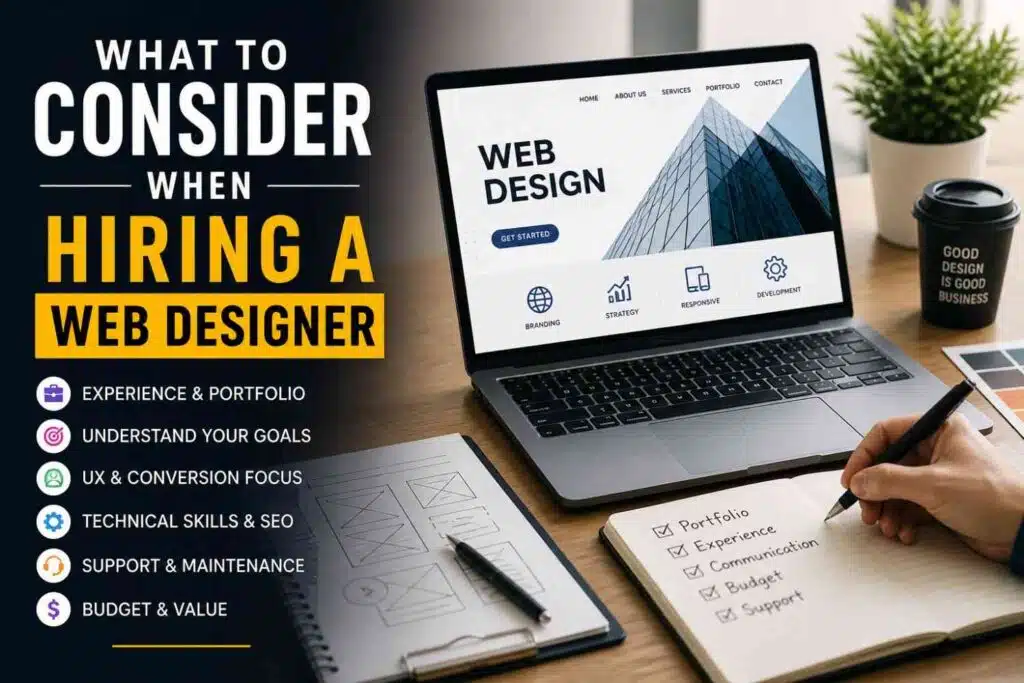
In this guide, you’ll learn exactly what to consider when hiring a web designer, the right questions to ask, and how to avoid costly mistakes—especially when investing in professional Shopify design or custom web design services.
1. Define Your Website Goals First
Before hiring a web designer, you need absolute clarity on what you want your website to achieve. Are you looking to generate leads, sell products, or build brand authority? Without clear goals, even the best design won’t deliver results. A professional designer will align your website’s structure, layout, and features with your business objectives. This ensures every element works toward a purpose—turning visitors into customers instead of just creating a visually appealing site. Before you even start looking for a designer, get clear on your goals.
Ask yourself:
- Do you want to generate leads?
- Sell products online?
- Build brand authority?
A professional designer will align the design with your business objectives—not just aesthetics.
Tip: If a designer doesn’t ask about your goals, that’s a red flag.
2. Review Their Portfolio Carefully
Before hiring a web designer, take time to carefully review their portfolio. This gives you a clear idea of their style, creativity, and technical skills. Don’t just look at how the websites appear—check how they function. Are they mobile-friendly? Do they load quickly? Is the navigation smooth and user-friendly? A strong portfolio should showcase not only visually appealing designs but also websites that are built for performance, usability, and conversions. A strong portfolio tells you everything about a designer’s capability.
Look for:
- Clean and modern layouts
- Mobile-friendly (responsive) design
- Variety of industries
- Clear call-to-action elements
Don’t just focus on how the website looks—check how it feels and functions.
3. Check Their Understanding of UX & Conversion
Good design is not just about visuals—it’s about results.
A skilled web designer should understand:
- User Experience (UX)
- Conversion Rate Optimization (CRO)
- Customer journey mapping
Your website should guide visitors toward taking action—whether it’s filling a form or making a purchase.
4. Understand Pricing & What’s Included
Web design pricing can vary widely depending on complexity.
Make sure you clarify:
- What’s included in the package
- Number of revisions
- Custom design vs template
- SEO optimization
- Maintenance support
Avoid choosing the cheapest option—it often leads to poor quality and redesign costs later.
5. Ask the Right Questions
Before hiring, ask these essential questions:
- How do you approach a new project?
- Will my website be SEO-friendly?
- Do you provide ongoing support?
- What platform do you recommend and why?
- Can I update the website myself later?
Their answers will reveal their expertise and professionalism.
6. Technical Skills & SEO Knowledge
A skilled web designer should have strong technical expertise along with a solid understanding of SEO. It’s not just about creating a good-looking website—it must also perform well on search engines. Your designer should ensure fast loading speed, mobile responsiveness, clean code, and proper site structure. They should also implement basic on-page SEO elements like optimized headings, meta tags, and image optimization. Without these, your website may struggle to rank on Google, limiting your visibility and potential traffic.
Your web designer should know:
- On-page SEO basics
- Fast loading optimization
- Mobile responsiveness
- Secure development (SSL, etc.)
Without SEO-friendly design, your website may never rank on Google.
7. Watch Out for Red Flags
Avoid designers who:
- Don’t have a portfolio
- Promise unrealistically low prices
- Lack communication
- Don’t discuss strategy or goals
These are signs of inexperience or poor service quality.
Freelance vs Agency: Which is Better?
Choosing between a freelancer and an agency depends on your business needs and long-term goals. Freelancers are usually more affordable and can be a good option for small or one-time projects. However, they often have limited expertise in areas like SEO, strategy, and scalability. On the other hand, agencies provide a complete solution—including design, development, and marketing support. Both options have pros and cons:
Freelancers
- Cost-effective
- Flexible
- Best for small projects
Agencies (like Baluwa Technology)
- Full team expertise
- Better scalability
- Strategy + design + SEO in one place
If you want long-term growth, an agency is often the smarter choice.
Final Thoughts
Hiring the right web designer is one of the most important decisions for your business.
A well-designed website doesn’t just look good—it:
- Attracts visitors
- Builds trust
- Converts leads into customers
Take your time, ask the right questions, and focus on value—not just cost.

